
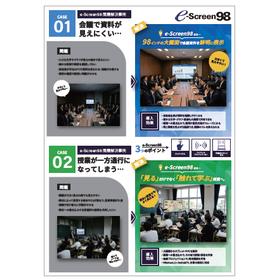
【e-Screen98 Problem Solving Case】The class becomes one-sided.
Not just "seeing," but a class where you "learn by touching." Solutions to problems that are dark and difficult to take notes on.
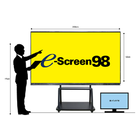
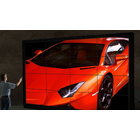
We would like to introduce a case study of the implementation of "e-Screen98" in the educational field. This solution addresses issues such as the complexity of lesson preparation due to different devices and operating systems used for various teaching materials, the hassle of connecting and switching between devices, and the difficulty in sharing annotations and explanations on the materials. After implementation, you will be able to operate tablets and PCs from a large screen. Wireless projection allows for sharing device screens, and annotations on the screen enable real-time explanations and responses. 【Implementation Effects】 ■ Operate tablets and PCs from a large screen ■ Share device screens via wireless projection ■ Share explanations and responses in real-time through screen annotations ■ Compatible with various teaching materials on Windows 11 and Android *For more details, please download the PDF or feel free to contact us.
basic information
【Three Points】 ■ Wireless Projection ■ Touch Panel ■ Movable Stand Included *For more details, please download the PDF or feel free to contact us.
Price range
Delivery Time
Applications/Examples of results
For more details, please download the PDF or feel free to contact us.
catalog(3)
Download All Catalogs

Recommended products

Distributors

For anything related to network construction equipment such as ebootOSV, thin client screen distribution, and monitor networks, please leave it to eTools!