
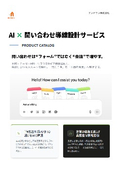
118. AI × Inquiry Flow Design
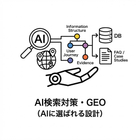
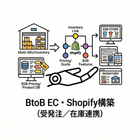
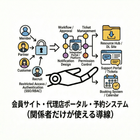

Increase inquiries through "conversations" rather than "forms." We resolve uncertainties with AI and connect to business negotiations with the necessary information in place.
The reason for the lack of increased inquiries is that users do not know "what to send." B2B inquiries often involve many uncertain factors such as quotation conditions, usage, specifications, delivery dates, and quantities, causing users to hesitate in front of the form. As a result, it leads to "users leaving after just viewing the materials" or "vague inquiries," which increases back-and-forth communication for the sales team. In this service, AI will conduct a hearing before the inquiry to organize the situation, confirm conditions, collect missing information, and design the next action branches (quotation/material download/consultation/agency). While reducing the burden of form input, we aim to increase inquiries with "necessary information gathered," thereby improving initial response speed and conversion rates into business negotiations. ■ Service Offerings (3 points) 1. Flow design (entry points, branching, CTAs, form integration) 2. AI hearing design (question order, required items, exceptions) 3. Operational design (log improvement, guardrails, assignment of responsibilities) *First, please decide on one type of inquiry you want to increase (quotation/technical consultation/agency/recruitment, etc.). From there, we will create the shortest flow.
basic information
■Concerns like these - Not enough inquiries / users dropping off the form - Inquiry content is vague, leading to increased back-and-forth - Want to connect consultations before providing pricing - Many technical inquiries, but necessary information is lacking - Confusion due to a mix of agents/direct sales/overseas ■Provided content (details) - 1) Entrance design (where to place AI changes outcomes) - 2) Branching design (divide routes by type of inquiry) - 3) AI hearing design (order is 90% of the success) - 4) Form integration design (organize information to be passed to people) - 5) Guardrails (what AI should not say) - 6) Log improvement (the flow strengthens through operation) ■Deliverables - AI × inquiry flow diagram (entrance → branching → form → responsible party) - Hearing question design (question order, required items, exceptions) - Output format (summary, missing information, priority, assignment) - Form integration specifications (item mapping, submission content) - Guardrails (prohibited areas, avoidance of assertions, escalation) - Operational rules (log analysis, monthly improvements, KPIs) - KPI design (number of inquiries, conversion rate to negotiations, first response speed, drop-off rate)
Price information
■3 million to 18 million yen (varies based on branching and integration) - Light (single route, basic question design, form integration): 3 to 6 million yen - Standard (multiple branching, summary/deficiency extraction, guardrails, operational design): 6 to 11 million yen - Extended (multilingual, CRM/MA integration, temperature estimation/classification integration, ongoing improvement): 11 to 18 million yen *Estimate required
Delivery Time
Applications/Examples of results
■Purpose - Increase in inquiries (elimination of form abandonment) - Improvement in inquiry quality (collection of necessary information) - Enhancement of conversion rate to business negotiations (prioritization and next action branching) - Creating a pathway for consultations without disclosing prices (organizing conditions → proposals) - Organizing complex pathways such as agents/overseas ■Examples of Achievements - High form abandonment → Improved completion rate through conversational hearings - Ambiguous inquiries → Reduced back-and-forth by extracting missing information - Missing hot leads → Accelerated initial responses by assigning priorities ■Approach 1. Target determination: Narrow down to one type of inquiry to increase 2. Branch design: Organize direct sales/agents/technical/overseas 3. Question design: Start with mandatory questions, in an order that prevents abandonment 4. Integration design: Confirm the format for handover to forms/CRM/ledgers 5. Testing: Conduct conversational tests with representative cases (also test intentionally ambiguous inputs) 6. Operation: Monthly log improvements (update questions, pathways, and CTAs)
catalog(20)
Download All Catalogs

Recommended products
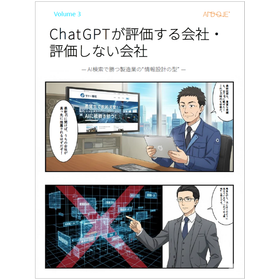


















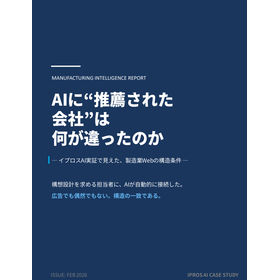
Distributors

A site that is just cheap ultimately increases costs and risks." We propose web development that maximizes business results while thoroughly addressing essential requirements. Are you creating a website like this? - It seems that the websites of competitors look better, but you don't know why. - Every update incurs additional costs, and before you know it, expenses have ballooned beyond expectations. - While the appearance is nice, it ignores laws and industry-specific rules, leading to complaint risks... - You want to attract customers and inquiries, but the production company only talks about design. - As a result of choosing a production that is simply cheap, you are overwhelmed with trouble handling and can't focus on your core business. Point 1. Avoid troubles with a design that has no "gaps or omissions." 2. Minimize operational costs with a design that assumes in-house updates. 3. Planning power that pursues business results. "Is the initial cost a bit high?" But in the long run, it's safe and cost-effective. We have prepared a plan to truly deliver results "correctly.